01. Overview

Building an AI that inspires you (with AI)

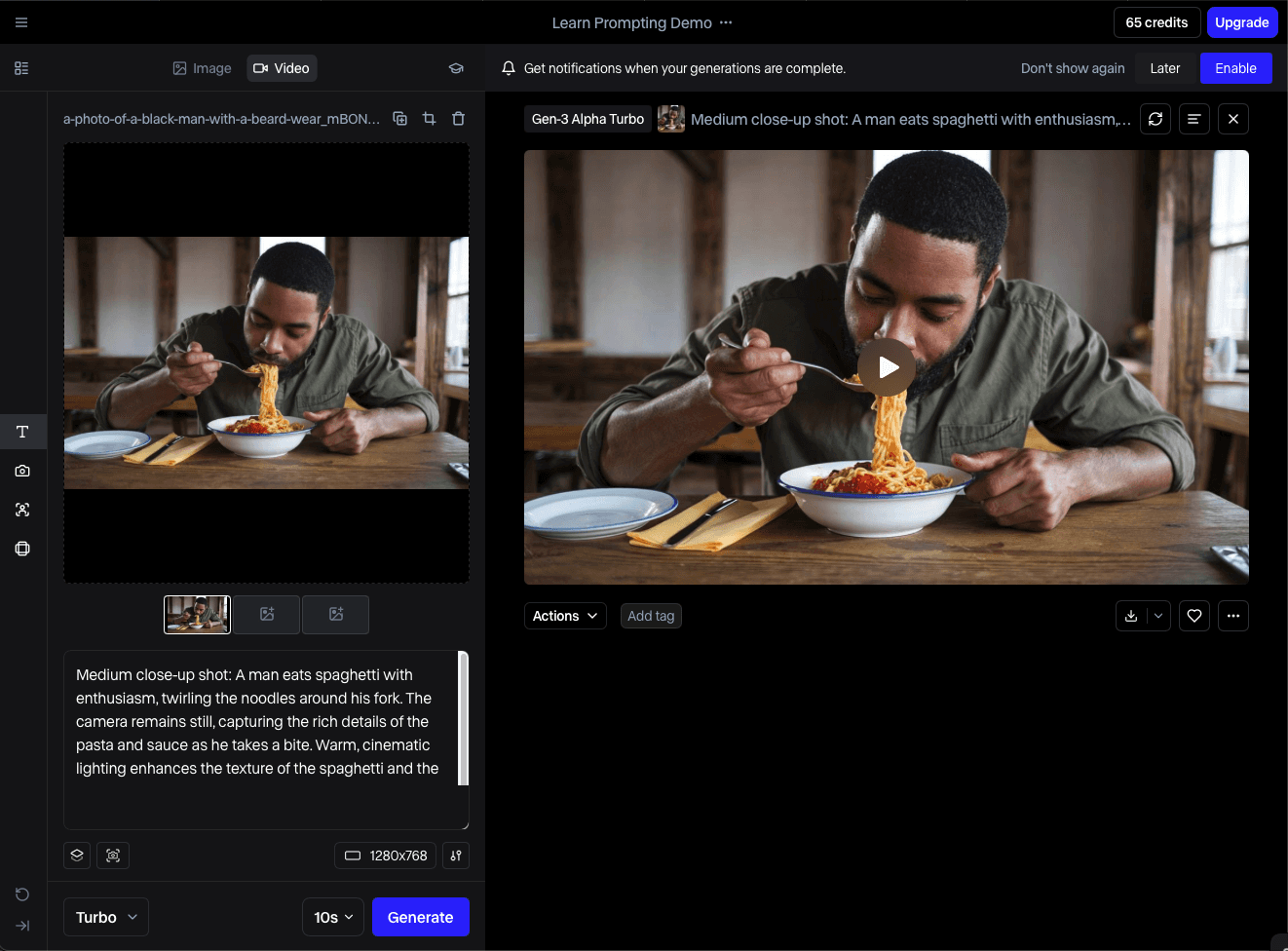
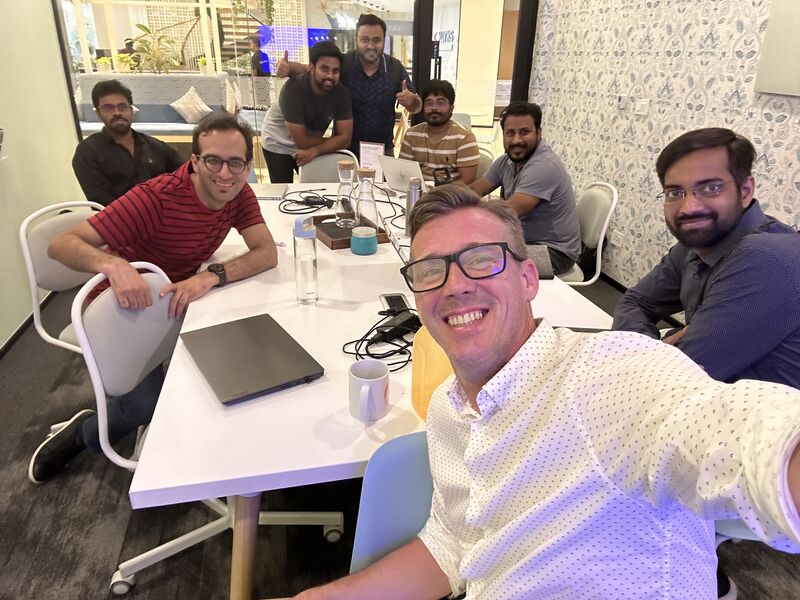
Although I was actively looking for leadership roles at this point in my career, this was an opportunity too rare to come by and too sweet to pass up.This case study shares how I worked closely with some of the smartest researchers and engineers in the industry ( read world ) to turn complex generative-AI technology into a clean, intuitive desktop application.

02. Role

Experimental thinking. Goal oriented design.

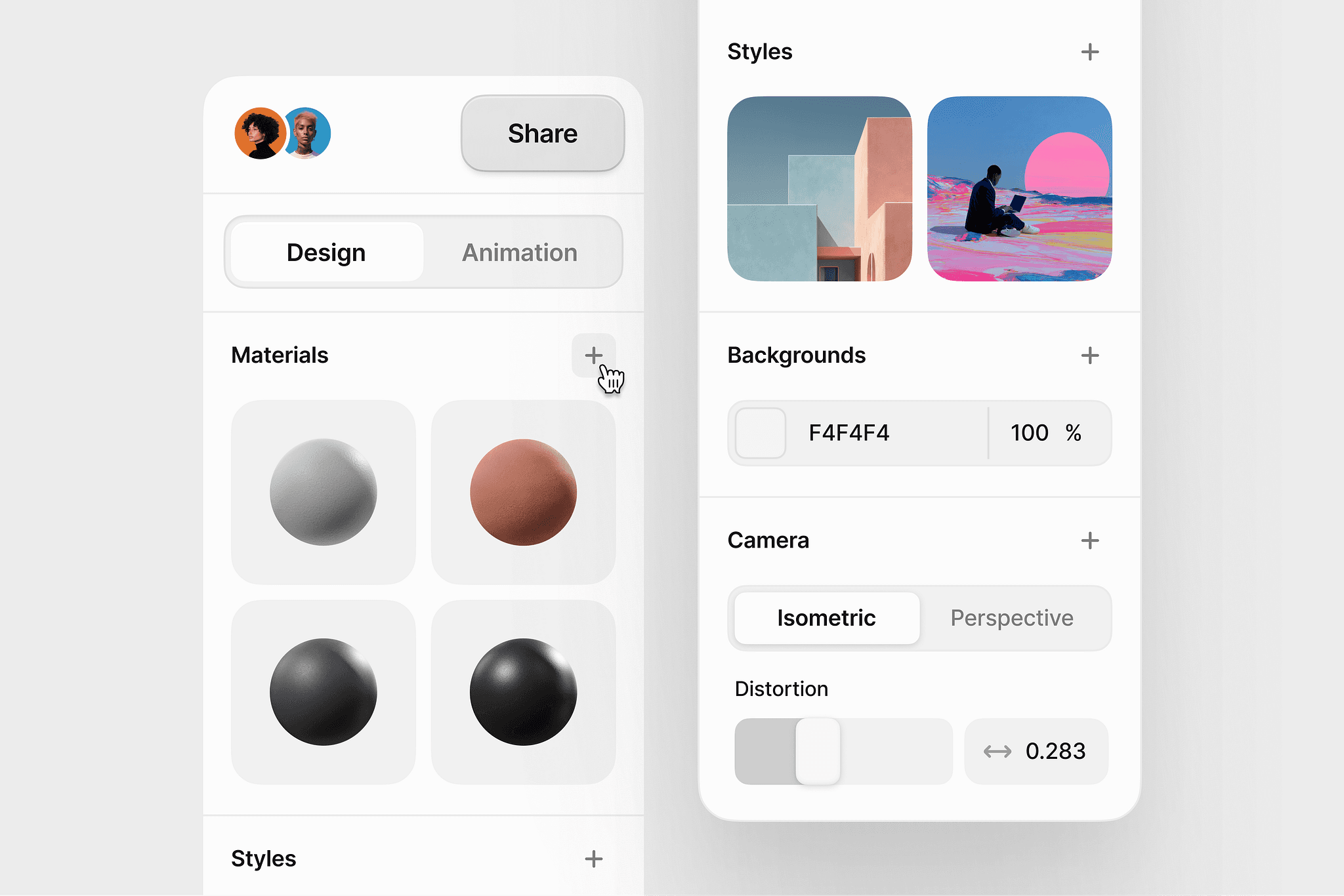
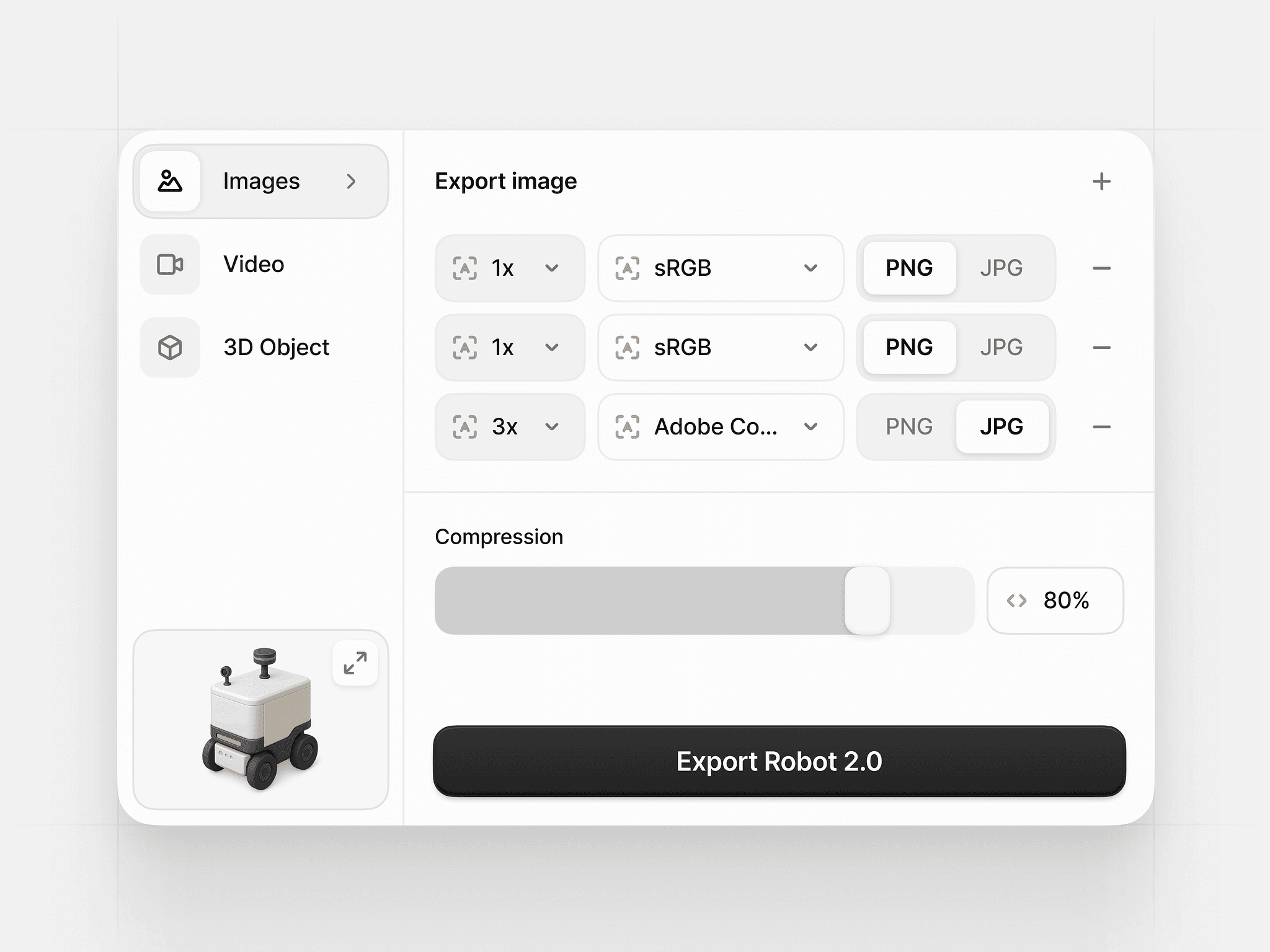
To support a fast-moving AI asset-generation workflow, I built a scalable design system tailored specifically for a high-performance desktop environment. The goal was to create a visual and interaction language that allowed researchers, engineers, and creatives to work seamlessly within a complex toolset—without sacrificing clarity, speed, or usability.

To sum it up -

  • I collaborated closely with product, research, and engineering to identify common patterns across model configuration, asset browsing, batch processing, and real-time output review. From this, I defined a unified component library optimized for dense, information-rich screens: modular panels, adaptive grids, high-contrast visual hierarchies, and a structured token system for color, spacing, and motion.


  • The system enabled us to maintain consistency across dozens of experimental features, accelerate prototyping, and ensure that new workflows fit naturally into the product.
03. Prioritisation

Optimising Resources.

As a lead UX designer, my role was to create clarity, momentum, and focus for a multidisciplinary team—while still leaving room for innovation. I achieved this through three core practices:

Define

I start by aligning designers, researchers, and product stakeholders around the product vision, success metrics, and constraints.

  • I run kickoff workshops to define user segments, primary use-cases, and the north-star workflow we’re targeting for our first milestone.

  • Researchers validate these assumptions early through quick interviews and usage studies so the team knows exactly which problems create the most friction for users today.

Build

To ensure we focus on the most impactful features, I introduce a simple, transparent system such as RICE, MoSCoW, or a Problem Impact vs. Engineering Effort matrix.
This helps the team:

  • Compare features objectively

  • Surface non-negotiables for V1

  • Balance usability needs with technical feasibility

  • Understand where experimentation adds value and where it introduces noise

From this, we define:

  • Core V1 features (critical path to value—e.g., prompt input, preview, edit, export)

  • Enhancers (quality-of-life improvements)

  • Experiments (high-potential but unvalidated ideas)
Validate

AI teams generate ideas constantly. Instead of letting them clutter the roadmap, I create a structured “parking lot” that keeps innovation alive without distracting the team.
This usually takes the form of:

  • A dedicated Notion/Linear board for future concepts

  • Each idea tagged by theme, complexity, and potential impact

  • Quarterly reviews where we revisit the board based on new research or learnings

This approach ensures two things:

  1. The team knows their ideas won’t disappear or be dismissed.

  2. We maintain a laser focus on delivering a stable set of high-impact features for the current release.


Validate

AI teams generate ideas constantly. Instead of letting them clutter the roadmap, I create a structured “parking lot” that keeps innovation alive without distracting the team.
This usually takes the form of:

  • A dedicated Notion/Linear board for future concepts

  • Each idea tagged by theme, complexity, and potential impact

  • Quarterly reviews where we revisit the board based on new research or learnings

This approach ensures two things:

  1. The team knows their ideas won’t disappear or be dismissed.

  2. We maintain a laser focus on delivering a stable set of high-impact features for the current release.


04. Process

Challenging assumptions.

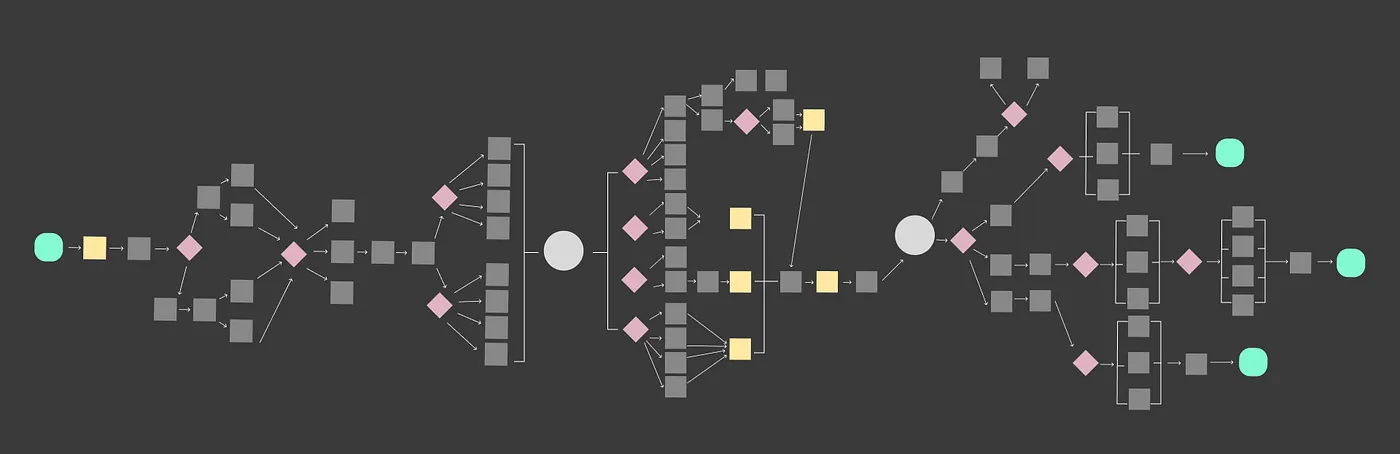
We were building on top of the existing team's product vision, which included user journey maps outlined and wireframes built. Our goal was to simplify and improve upon existing assumptions by outlining sound research methods to validate our new ideas.

This is what we were given to work with. While the information in these sticky notes may be confidential, the diagram isn't ( *insert evil chuckle here )

Research sprint

In this 1st sprint, we honed in on the essentials. By focusing on the MVP, we ensured core needs were met and brought all stakeholders into alignment.

1. User Recruitment & Setup (Days 1–2)

  • Recruited 12 participants (6 power users: designers/animators; 6 new users).

  • Set up test environments with controlled prompts, model versions, and GPU configurations for consistent observation.

1. User Recruitment & Setup (Days 1–2)

  • Recruited 12 participants (6 power users: designers/animators; 6 new users).

  • Set up test environments with controlled prompts, model versions, and GPU configurations for consistent observation.

2. Contextual Workflow Studies (Days 3–6)

  • Conducted 90-minute sessions observing real user workflows:

    • Prompt writing

    • Model selection

    • Batch generation

    • Editing, upscaling, and exporting

  • Captured video recordings, clickstreams, error moments, and emotional reactions.

2. Contextual Workflow Studies (Days 3–6)

  • Conducted 90-minute sessions observing real user workflows:

    • Prompt writing

    • Model selection

    • Batch generation

    • Editing, upscaling, and exporting

  • Captured video recordings, clickstreams, error moments, and emotional reactions.

3. Task Time & Cognitive Load Analysis (Days 4–7)


Measured:

  • Time-to-first-successful-generation

  • Time-to-export

  • Number of failed attempts

  • Number of unnecessary steps

  • Points of confusion around model settings and parameters

3. Task Time & Cognitive Load Analysis (Days 4–7)


Measured:

  • Time-to-first-successful-generation

  • Time-to-export

  • Number of failed attempts

  • Number of unnecessary steps

  • Points of confusion around model settings and parameters

4. Insight Synthesis & Affinity Mapping (Days 7–9)

Key findings included:

  • Users spent 40% of their time tweaking settings they didn’t fully understand.

  • Power users wanted keyboard-driven shortcuts and collapsible panels.

  • New users wanted presets and simpler defaults.

  • Both groups found model switching “opaque and unpredictable”.

4. Insight Synthesis & Affinity Mapping (Days 7–9)

Key findings included:

  • Users spent 40% of their time tweaking settings they didn’t fully understand.

  • Power users wanted keyboard-driven shortcuts and collapsible panels.

  • New users wanted presets and simpler defaults.

  • Both groups found model switching “opaque and unpredictable”.

5. Opportunity Prioritization Workshop (Days 9–10)


With PM + Engineering + Research:

  • Prioritized issues using Impact vs Effort matrix.

  • Defined 3 major UX problems to address in design sprint:

    1. Prompting flow lacks clarity

    2. Model switching feels unstable

    3. Editing workflow is cluttered and inconsistent

5. Opportunity Prioritization Workshop (Days 9–10)


With PM + Engineering + Research:

  • Prioritized issues using Impact vs Effort matrix.

  • Defined 3 major UX problems to address in design sprint:

    1. Prompting flow lacks clarity

    2. Model switching feels unstable

    3. Editing workflow is cluttered and inconsistent

05. Roadmapping

05. Roadmapping

Execution sprint

Execution sprint

In this sprint, we set out to translate research insights into high-fidelity workflows, create interactive prototypes, and validate them with real users.

1. Rapid Co-Design Sessions (Days 1–3)


Collaborated with designers, PM, and engineers to produce:

  • A modular prompt editor (with presets + advanced mode)

  • Unified model-switching panel with clear metadata

  • A cleaner, more consistent editing workspace with collapsible sidebars

Output: 18 early concepts, narrowed down to 4 full workflows.

At the end of the day we had outlined / built :

  • UX Psychology Toolkit

  • Design Principles

  • Content Framework

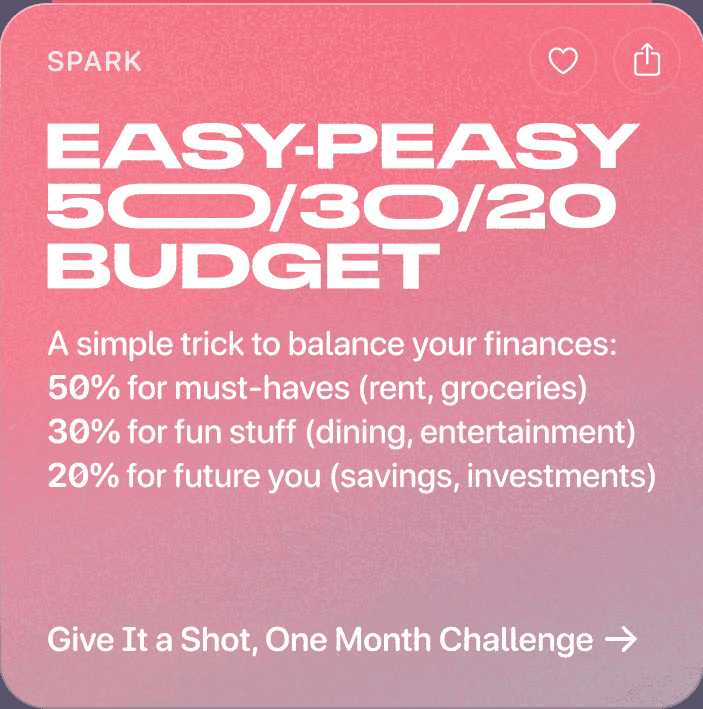
  • Extended Design Exploration: Your Monthly Wrap-Up

2. High-Fidelity Prototyping (Days 3–6)


  • Built interactive prototypes in Figma and Framer for:

    • Prompt → Generate → Preview

    • Model selection

    • Batch generation comparison

    • Video timeline refinement

  • Integrated real copy, real settings, and realistic loading states for believability.

At the end of the day we had outlined / built :

  • UX Psychology Toolkit

  • Design Principles

  • Content Framework

  • Extended Design Exploration: Your Monthly Wrap-Up

3. Usability Testing (Days 6–9)


Tested with 8 participants from Sprint 1 for continuity.
Measured:

  • Task completion rates

  • Time savings vs current design

  • Cognitive load scoring

  • User confidence pre/post workflow

Key results:

  • 25% faster prompt-to-preview flow

  • 31% faster model switching

  • Significant reduction in “where do I go next?” questions

  • Power users praised the density + shortcut design

  • New users appreciated presets + simplified view

At the end of the day we had outlined / built :

  • UX Psychology Toolkit

  • Design Principles

  • Content Framework

  • Extended Design Exploration: Your Monthly Wrap-Up

4. Iteration & Technical Feasibility Sync (Days 9–10)


  • Engineering reviewed feasibility of timeline components, performance feedback indicators, and new batch UI.

  • Updated designs to match technical constraints and GPU limitations.

  • Finalized V1 flow diagrams for implementation.

At the end of the day we had outlined / built :

  • UX Psychology Toolkit

  • Design Principles

  • Content Framework

  • Extended Design Exploration: Your Monthly Wrap-Up

Outcomes

At the end of it all, here's what we came out with:

  • 4 polished end-to-end workflows

  • 2 high-fidelity prototypes tested with real users

  • Quantitative test insights (speed, errors, confidence)

  • Final annotated design specs for engineering

  • Updated design system components (prompt bar, side panels, comparison grid)

At the end of the day we had outlined / built :

  • UX Psychology Toolkit

  • Design Principles

  • Content Framework

  • Extended Design Exploration: Your Monthly Wrap-Up

06 .Design Exploration

Giving form to ideas

We wanted to stand out from the myriad of media-gen AI companies out there so I had to figure out a way to make the end user feel the same level of ease during the creation process as they are already used to on legacy sites (think google, airbnb, amazon). Here are a few examples of ideas I suggested to set us apart.


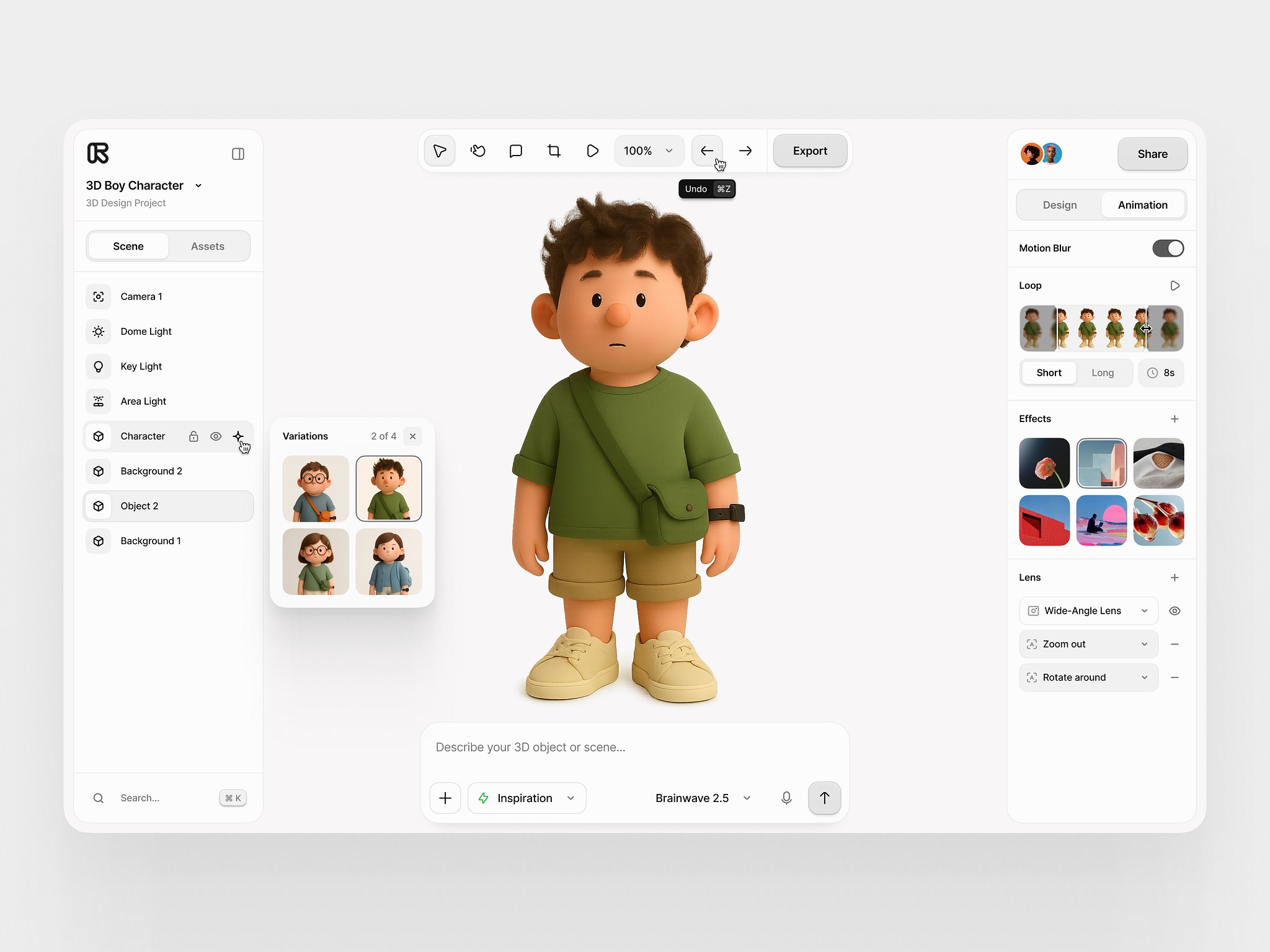
Ultimate control over your scene
When a user defines an object or scene, the UI automatically adjusts to create an entity for each item, light source, camera and background.


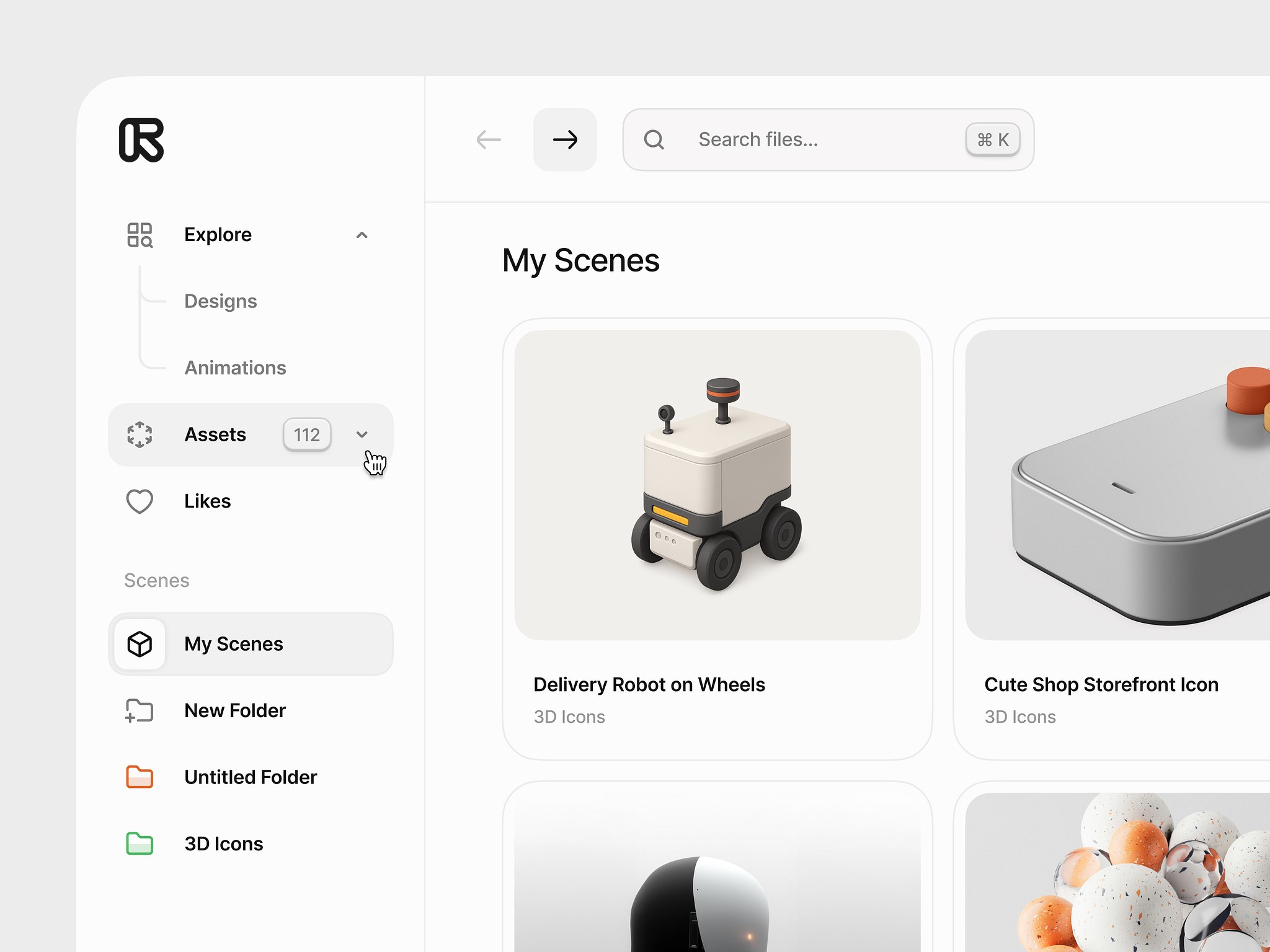
Organisational clarity

Organisational clarity

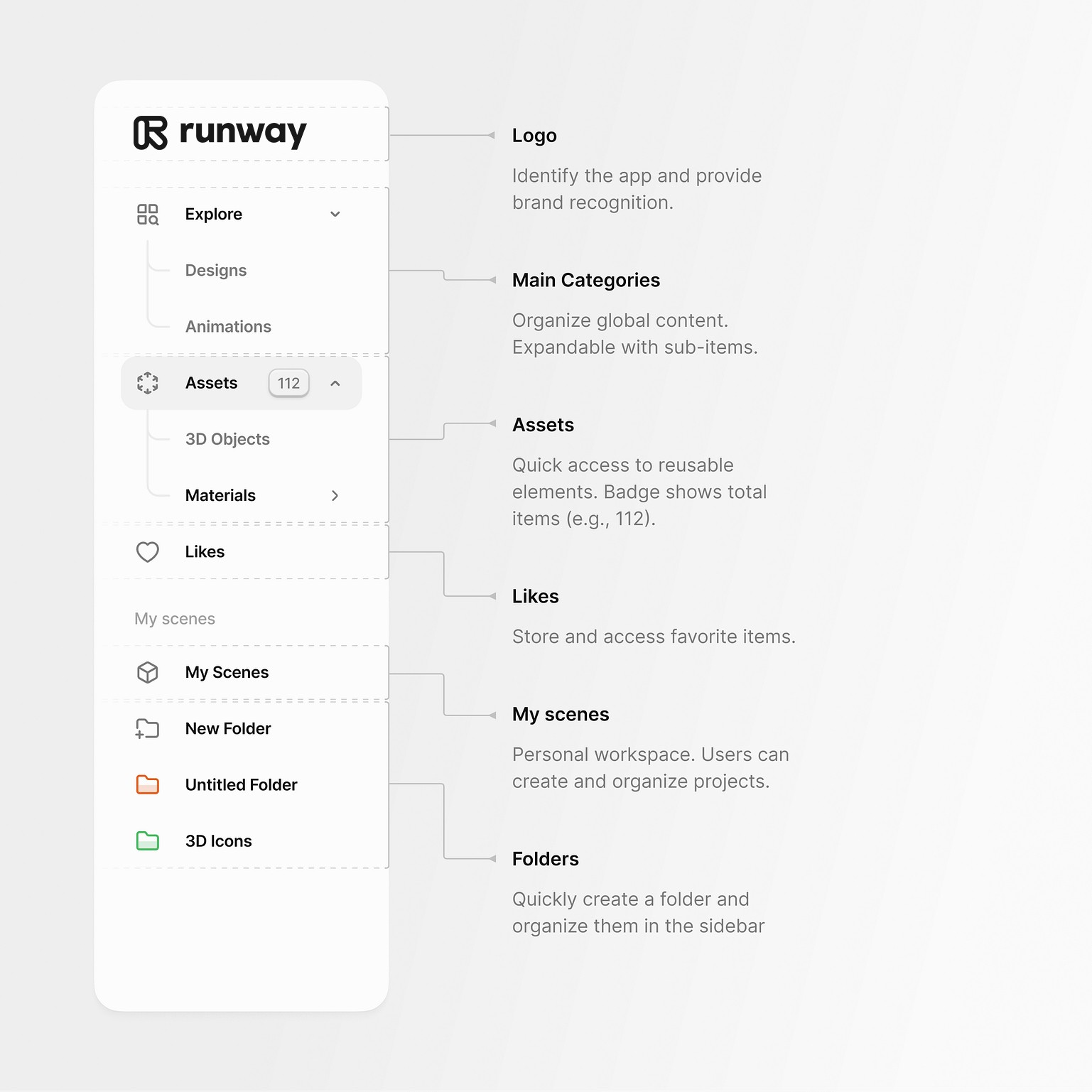
Not only do we prioritise organisation but empower it too. We decided to add key features not only to make us stand out, but to provide real operational value and promote a clean working environment.


  • Separating Categories and Assets was an intentional move to maintain clear separation of concerns.


  • Social media sharing has it's module, backed up your creations which have been viewed favourably by our growing community.


  • As scenes were re-usable we decided to keep them saved for instant edits.


  • We gave the user to organise their assets, scenes and materials by allowing them to create their own folder structure.

Not only do we prioritise organisation but empower it too. We decided to add key features not only to make us stand out, but to provide real operational value and promote a clean working environment.


  • Separating Categories and Assets was an intentional move to maintain clear separation of concerns.


  • Social media sharing has it's module, backed up your creations which have been viewed favourably by our growing community.


  • As scenes were re-usable we decided to keep them saved for instant edits.


  • We gave the user to organise their assets, scenes and materials by allowing them to create their own folder structure.

The importance of re-usability

Once a scene is defined, any asset in the scene can be saved for future use. This is especially useful when creating long video sequences or short films with AI, where assets need re-purposing or remodelling based on the scene.

Game Changers

Original ideas vetted by industry professionals and implemented into our final tool-set, elevating the end user experience and fostering a habit of creation.

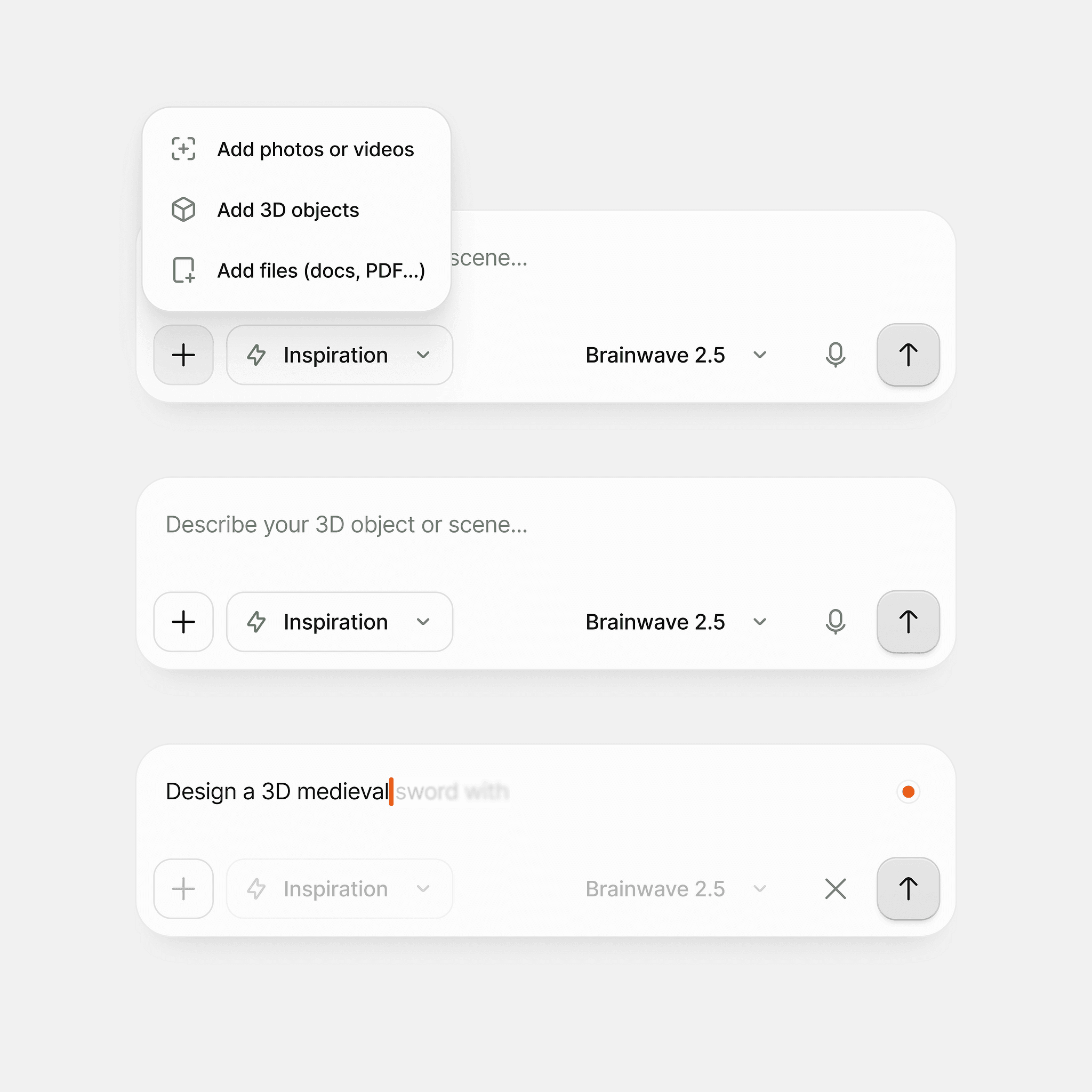
The Creation module


Whether you have an idea or not, that should not stop a user from starting the creation process. We made sure that every user is empowered to try out our features, via their own creativity or through generated context.
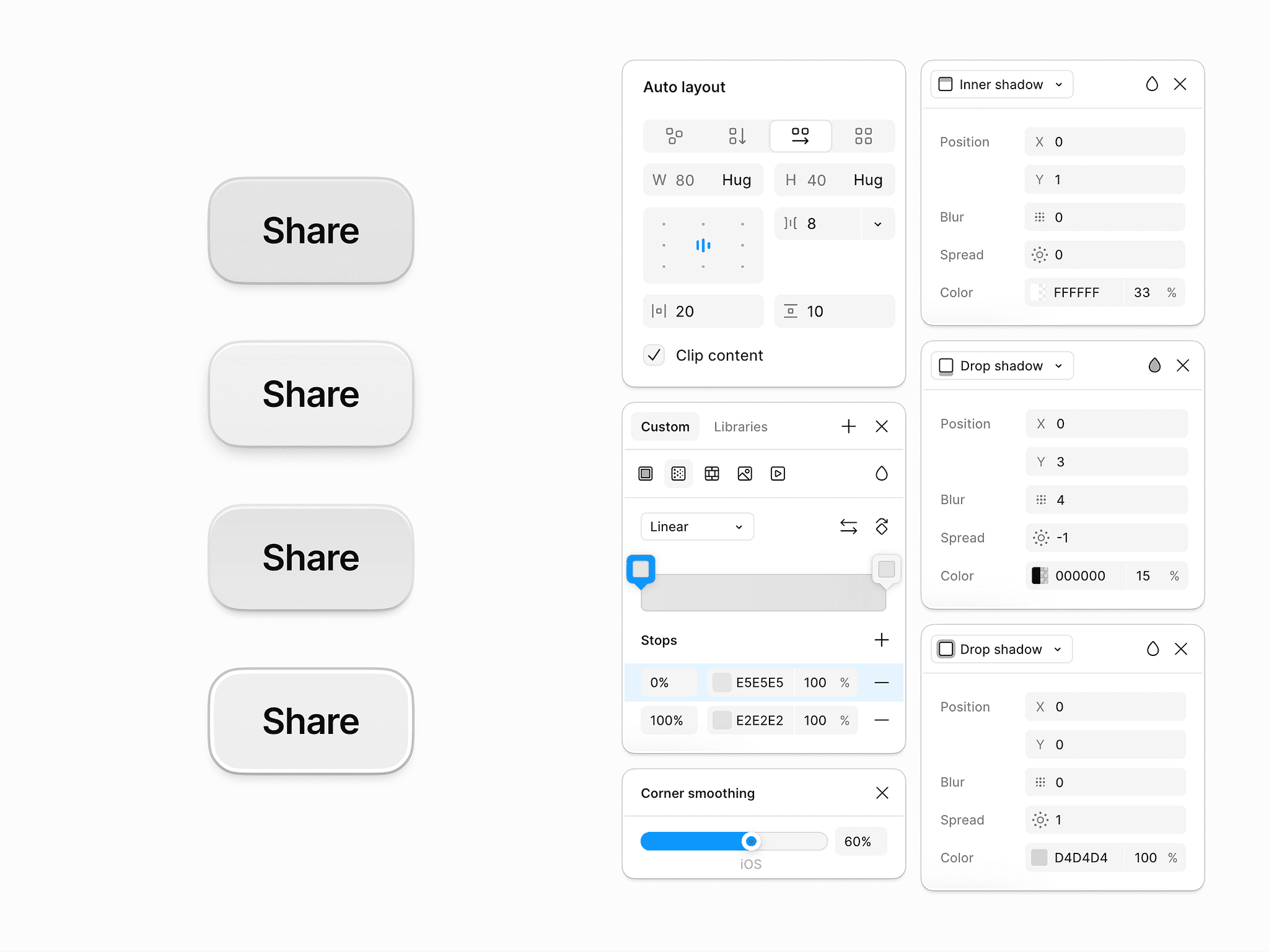

The Customisation module


Heavily inspired by figma and photoshop, we gave the users the ability to tweak and fine-tune every aspect of their creation, including shadows, corners, layouts, colour correction and much more.
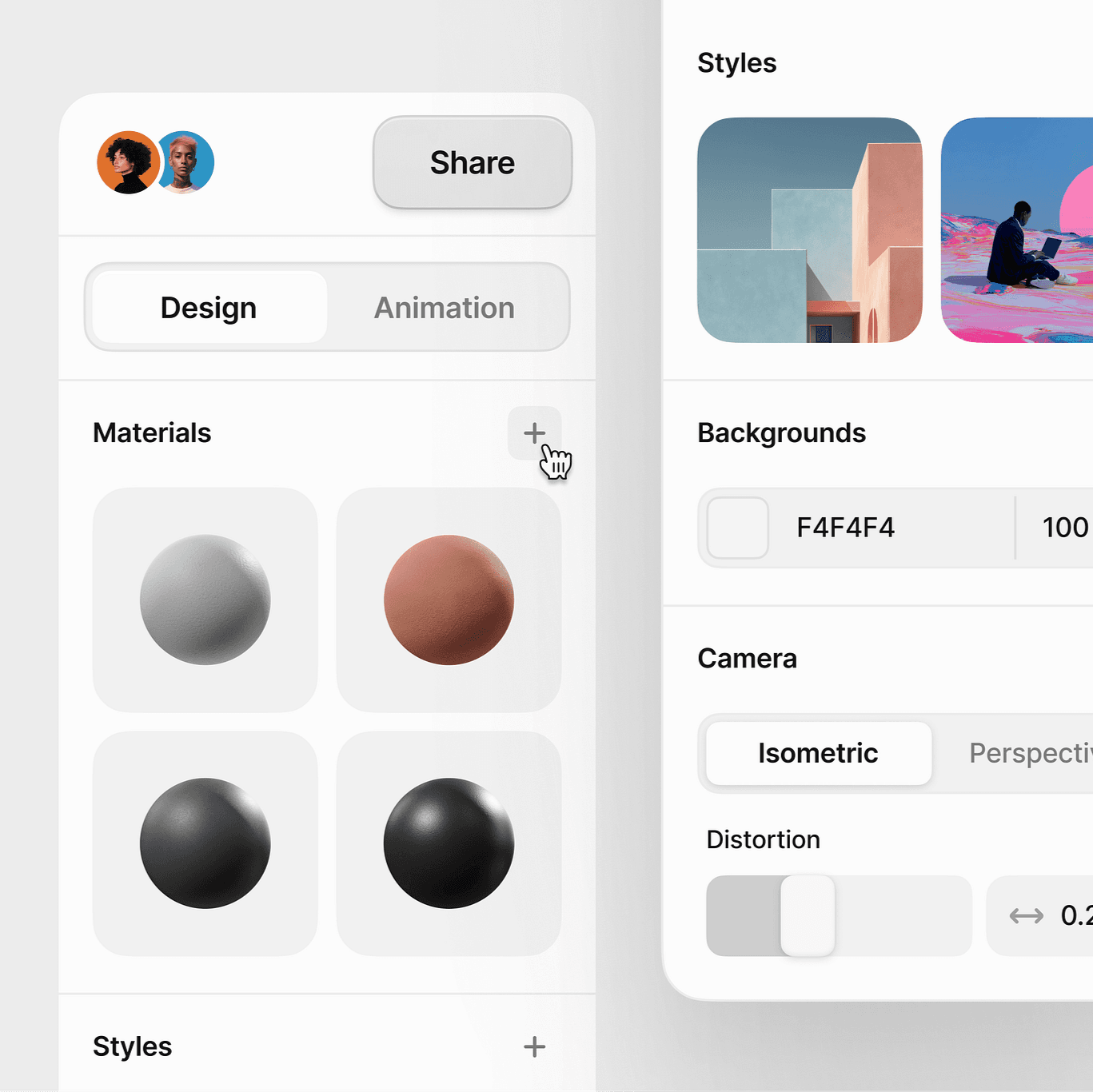

The Visualisation module


Another one of our 'standout features' - Once you create an object using the AI generation method you can then tweak the material of the object in a separate component. Users don't have to specify materials when creating, but are free to experiment with it in the fine-tuning workflow. " Make me a chair " then experimenting with materials like iron, feathers or wood is more powerful than " Make me a wooden chair " essentially.
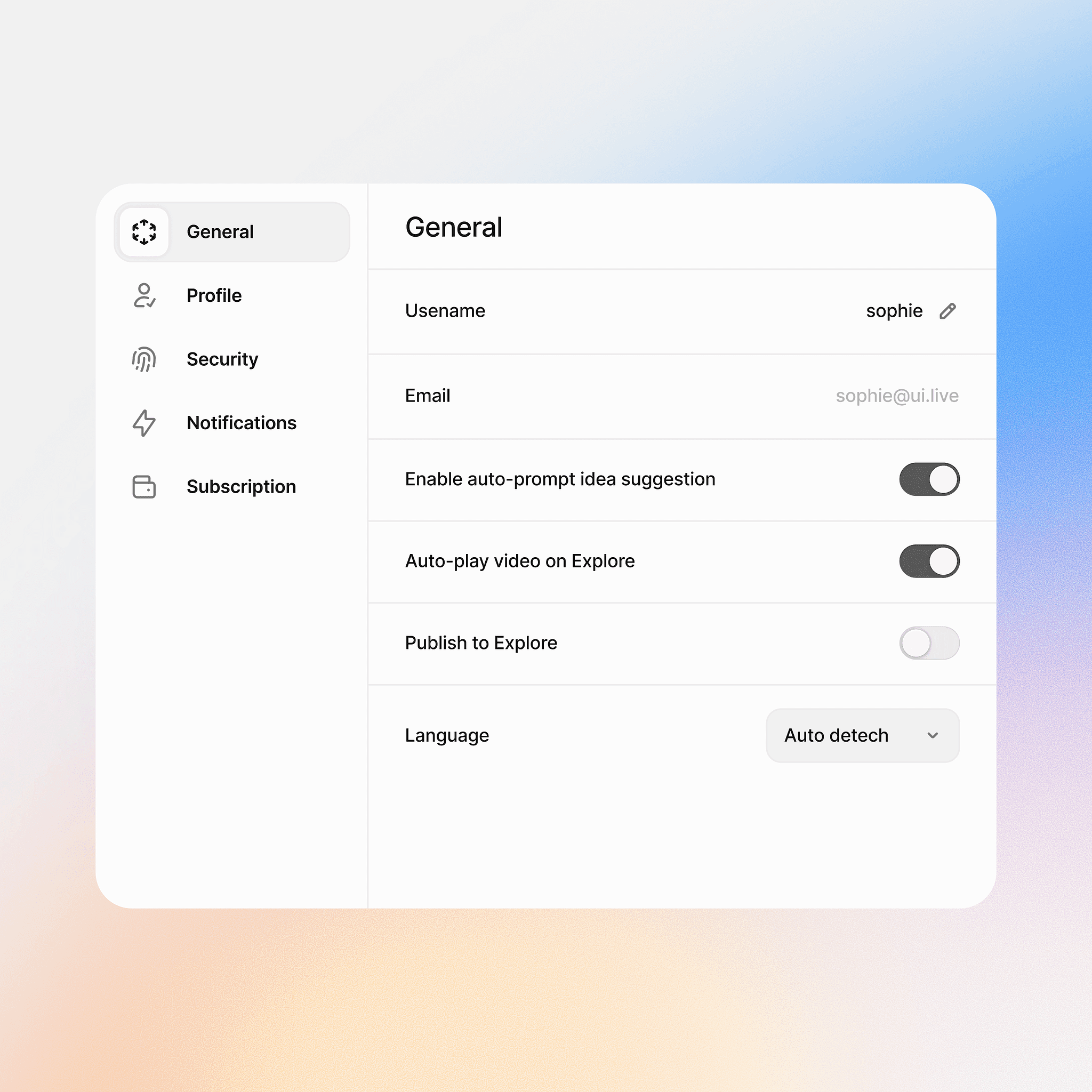

The Options module


The option to have your dashboard behave the way you want is another feature we saw noone else doing and decided to implement. We believe creativity is improved / hindered based on your mental state so the ability to have your dashboard auto-play videos or auto-prompting / sentence completion while creating are ' makers or breakers ' when you're stuck in a creative loop.


06. Closing

Impacts.

This journey was a test of adaptability and focus, pushing me to grow in unexpected ways. Here are some standout moments.

Impact on MRR

1. Improved conversion from free → paid through clearer value discovery

Redesigned the onboarding and first-run experience to highlight high-value features (model switching, batch generation, upscaling, video interpolation), leading to a:

  • 35% increase in free-to-paid conversion

  • ~30% uplift in MRR driven by better activation

2. Simplified pricing touchpoints and upgrade prompts

Introduced contextual upgrade moments (e.g., “X more HD renders left”, “Unlock 4K video generation”), resulting in:

  • 15% increase in upgrade clicks

  • 9–12% growth in MRR within two quarters

3. Reduced abandoned generations and errors

By improving progress states, error messaging, and task recovery, we reduced failed/abandoned generations by ~30%, directly improving user satisfaction and increasing credits spent—leading to:

  • 7% increase in paid credit consumption MRR

Impact on Retention

1. Streamlined core workflows that users repeat daily

Optimizing prompting → preview → edit → export significantly reduced friction for power users. This led to:

  • 18% increase in 30-day retention

  • 12% reduction in churn among pro users

2. Consistency via the design system reduced frustrations

A predictable, stable interface (fewer visual bugs, fewer broken flows) increased user trust and session depth.

  • Users performed 25% more generations per week

  • Returning user rate improved by 14%

3. Introduced “workflow recipes” and guided templates

Ready-made templates for common tasks (product shots, portraits, animation sequences, style transfers) kept users engaged long-term.

  • Feature adoption increased by 32%

  • Retention for new users increased by 20%

Impact on Onboarding

1. Redesigned onboarding to reduce cognitive load

Simplified the first-run experience with a guided workflow for:

  • Prompting basics

  • Model selection

  • Editing, refining, exporting
    Result:

  • 40% faster time-to-first-successful-generation

  • ~30% improvement in new user activation rate

2. Added interactive surface tours & tooltips

Contextual teaching moments replaced long tutorials, giving users confidence quickly.

  • Onboarding completion rate improved by 35%

  • Support tickets related to “how do I do X?” dropped by 28%

3. Created a beginner-friendly workflow mode

A simplified “Essential Tools Only” mode for new users led to:

  • 22% lower early churn (first week)

  • Higher conversion into standard mode within 7–10 days

06. Closing

Learnings.

This one was a doozy. So many new ideas, perspectives, areas of interest and opportunities , it got a bit overwhelming at times. But when times get tough, we break out the yellow legal pad and we take notes.

1. Learning how to design for unpredictability

AI systems are inherently probabilistic—outputs vary, models behave differently, and generation times fluctuate.
A key learning moment was realizing that UX must create predictability when the system itself cannot.

This meant designing clearer feedback loops, progress states, model transparency, and recovery paths so users always understood what’s happening and why.

2. Understanding the importance of designing for power users, not just new users

Working with artists, animators, and designers taught me that professionals have very different expectations from casual users.
A major learning was that power users value:

  • keyboard-driven speed

  • density over simplicity

  • predictable workflows

  • batch actions

  • customization

This shifted my design philosophy from “make it simple” to “make it efficient and ergonomic for experts.”

3. Learning to balance innovation with consistency

AI companies ship experimental features constantly.
One of the biggest learnings was that rapid innovation can destroy product coherence if not governed.
This taught me to:

  • separate experimental vs. stable components

  • define graduation criteria

  • protect the core experience while enabling exploration

This balance made the product feel both cutting-edge and reliable.

4. Recognizing the power of cross-functional alignment

A breakthrough moment was realizing that great AI UX cannot be designed in isolation.
To build a high-performing product, I had to work daily with:

  • model researchers

  • engineers

  • data scientists

  • product managers

This taught me how critical deep technical understanding is—knowing how diffusion works, why inference fails, what impacts speed—so UX decisions are grounded in reality.

5. Learning that documentation is a product, not an afterthought

Building the design system showed me that documentation is what actually scales the team, not just components.
A big learning moment was seeing how:

  • better docs reduced onboarding time

  • clearer specs cut implementation mistakes

  • structured guidelines stopped design drift

This reinforced that a design system is only as good as its documentation.

6. Seeing how UX directly drives revenue

In an AI product, better workflows = more generations = more credit consumption.
This created a major learning moment:
UX isn't just aesthetic—it directly influences retention and MRR.
By improving prompting clarity, reducing failed generations, and streamlining exports, we literally increased revenue.
This changed how I framed UX decisions to leadership: in terms of business value, not pixels.
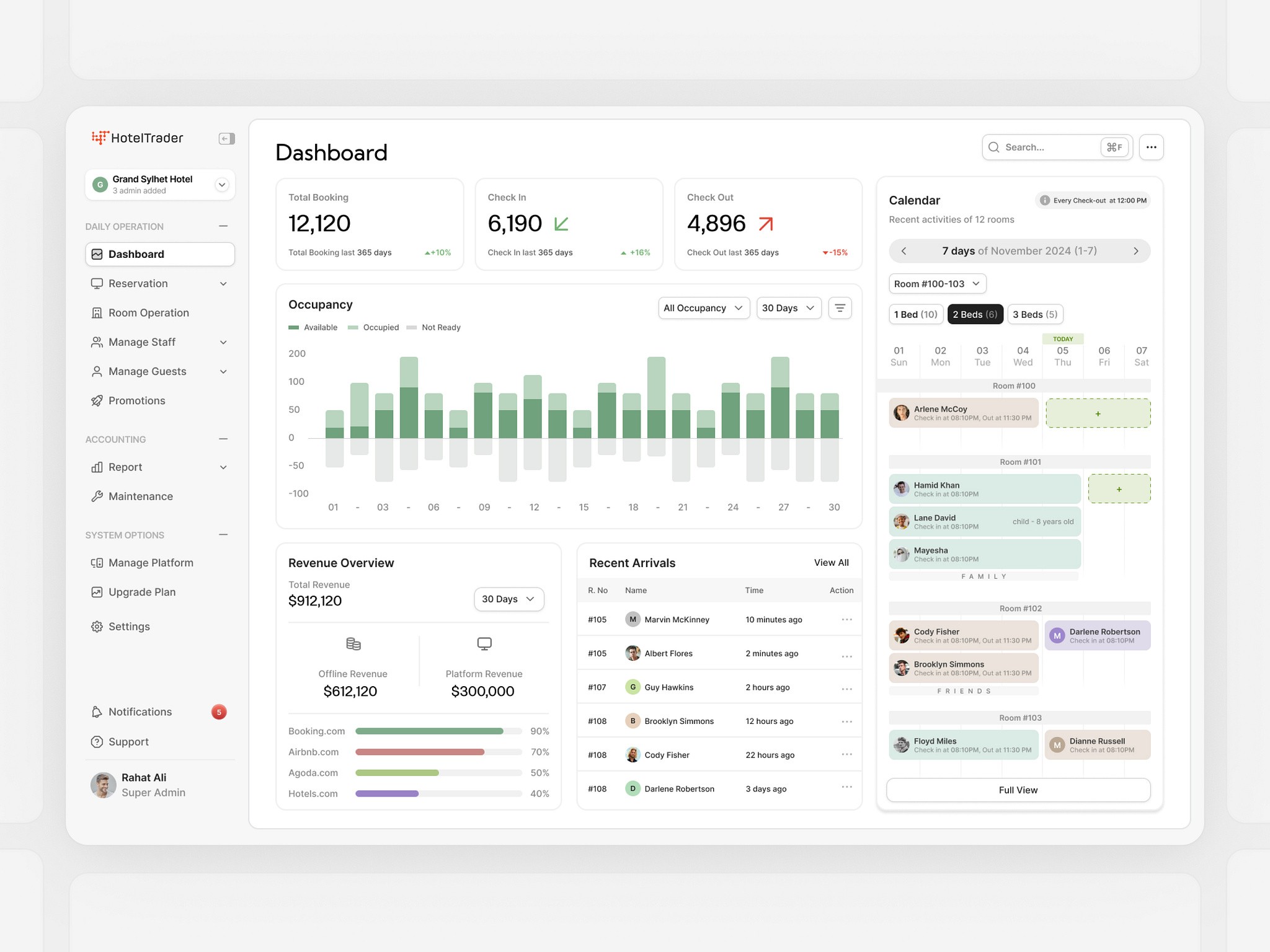
Up Next

Hotel Trader

Spearheading research and design at a unicorn startup

Paytm Labs

Spearheading research and design at a unicorn startup

copyright 2025 @ Vinayak Mukherjee